
Motive Society Explore the kit

Motive Society / Digital toolkit 001

The Automotive
Visual Transformation Kit

Two Lightroom presets for car photos in one purchase: V2 Standard for free Lightroom, and V3 Premium with four adaptive AI masks for paid Lightroom plans. Plus the guides and prompts to use them well.

One-time £9.99Tax includedInstant downloadNo subscription

Same car · Same photo

V2 Standard
vs V3 Premium.

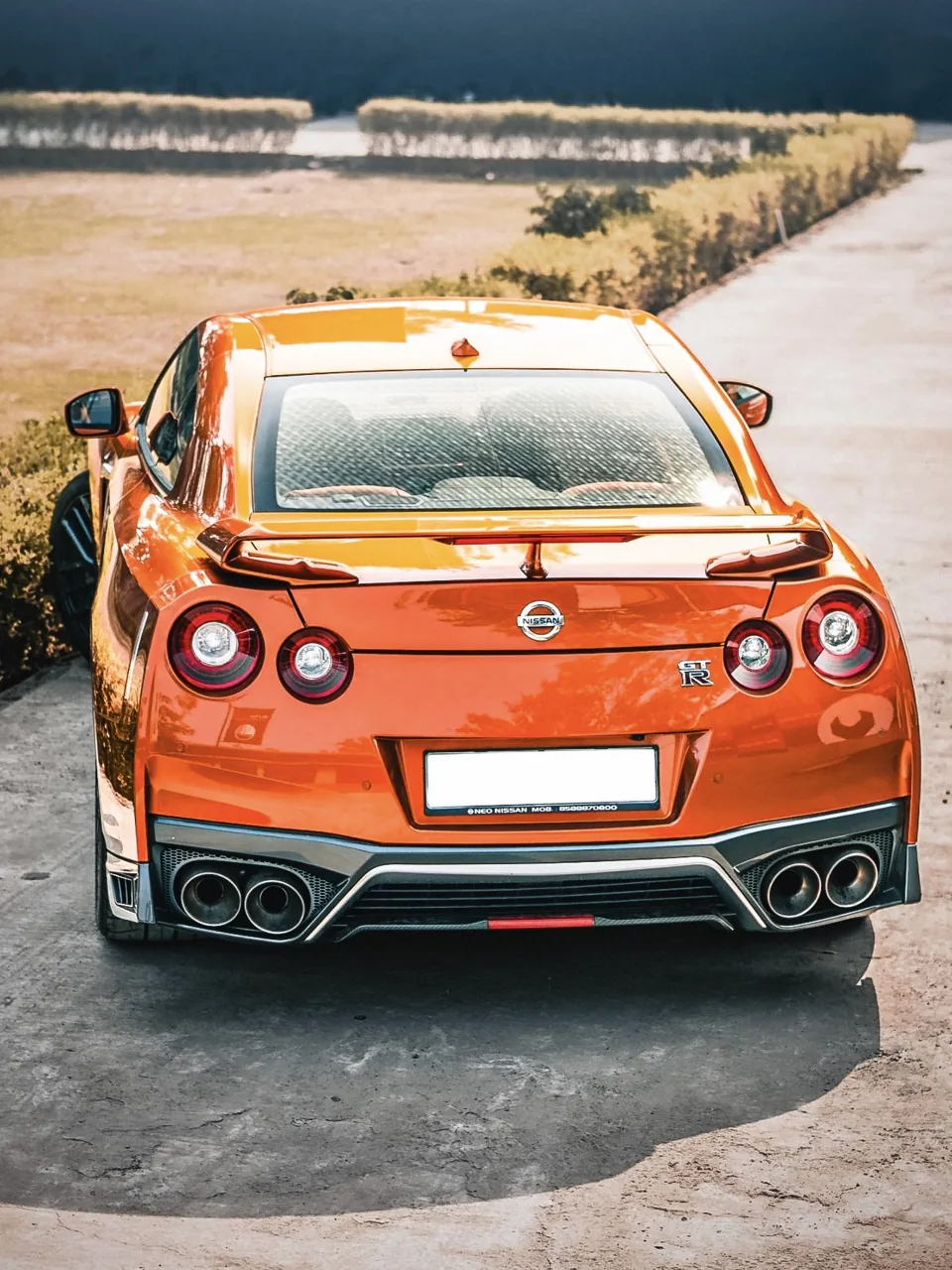
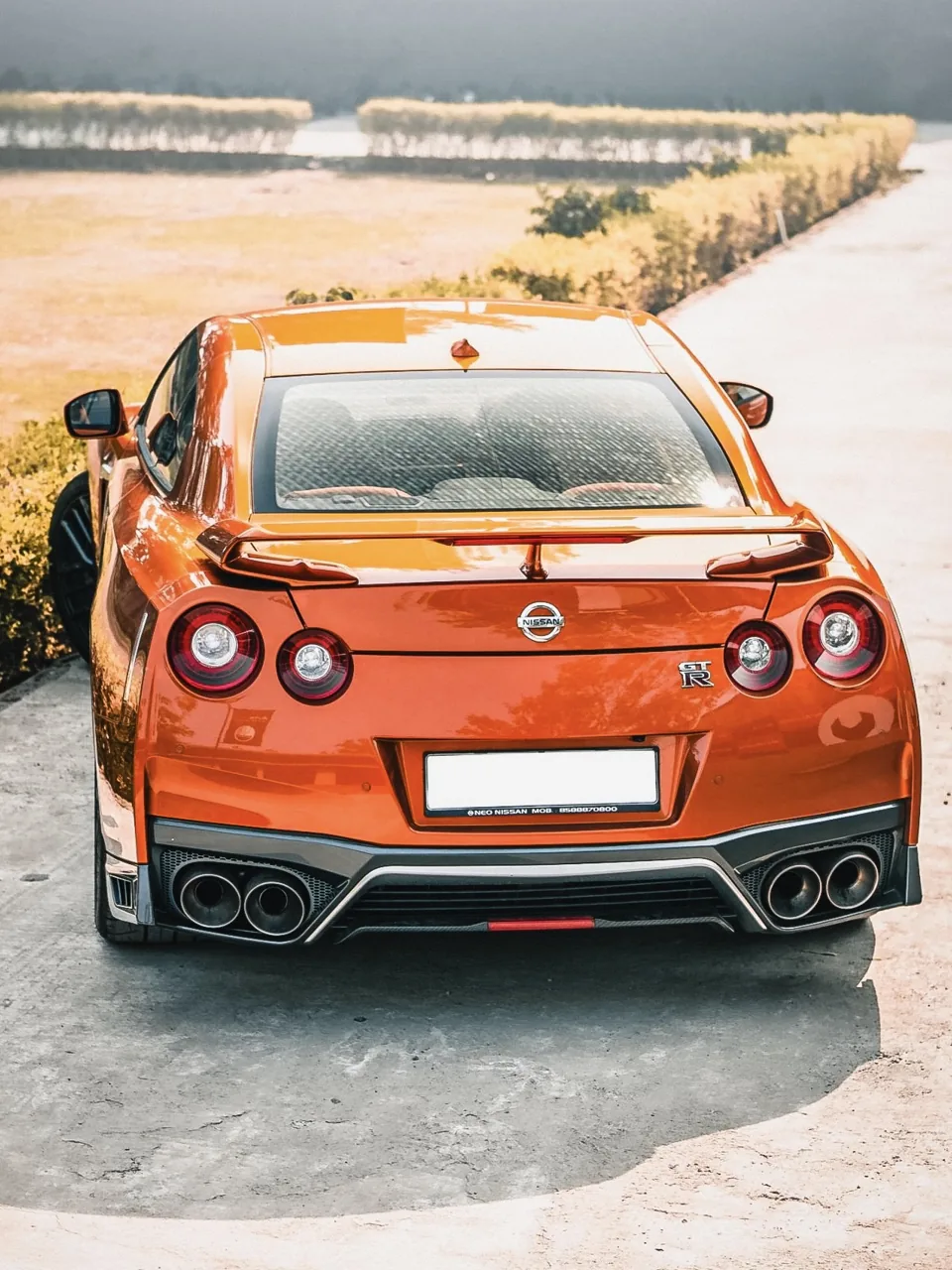
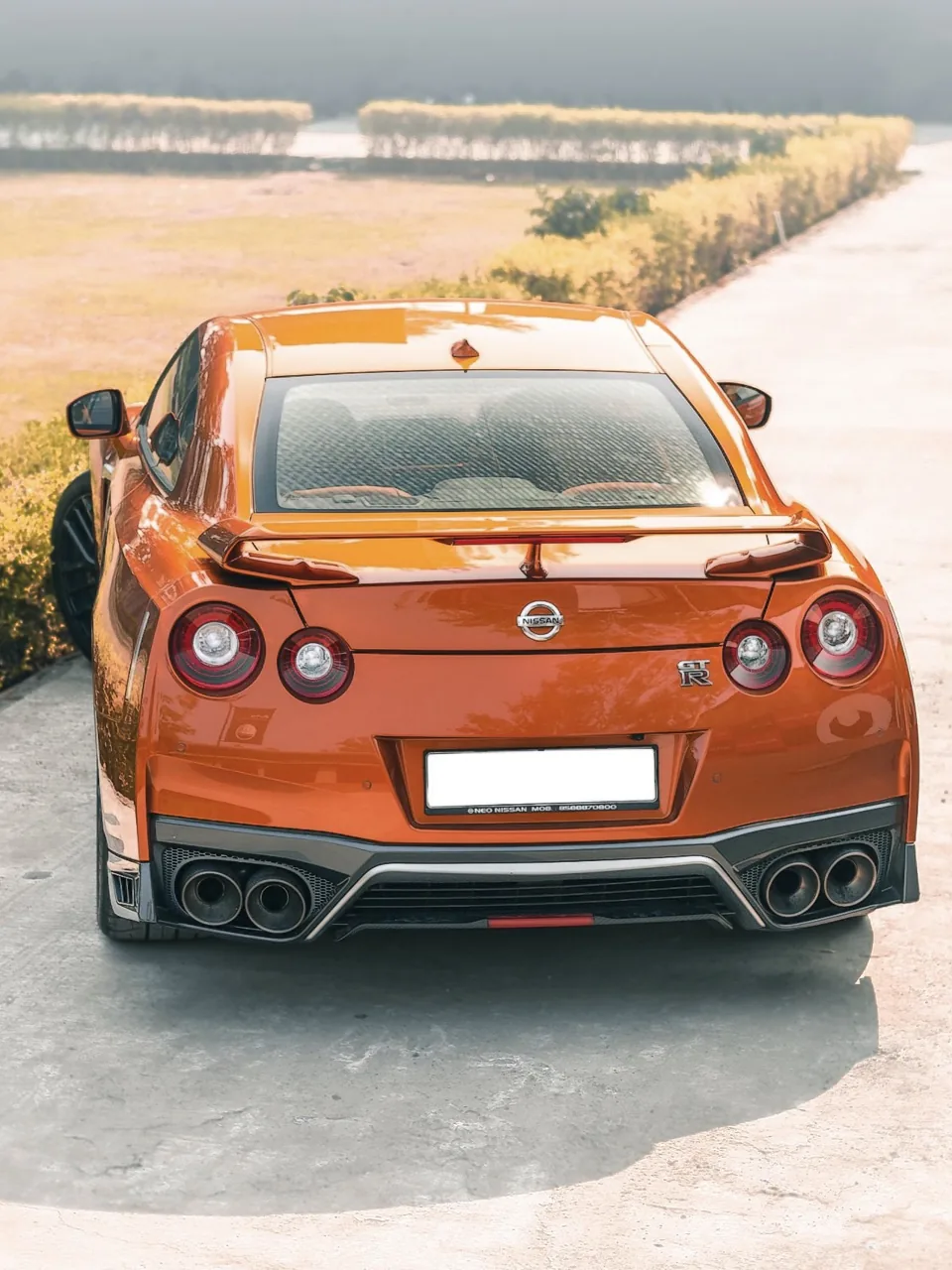
The same Nissan GT-R photo, finished with each preset.

Orange Nissan GT-R edited with the V3 Premium preset
V3 PREMIUM · EDITED
The same Nissan GT-R photo edited with the V2 Standard preset
V2 STANDARD · EDITED
The original, unedited Nissan GT-R photo
ORIGINAL · UNEDITED

Swipe or tap: V3 Premium, V2 Standard, then the original unedited photo. Same photo, real Lightroom exports, no retouching on top. Original photo by Ishan Kulshrestha on Pexels.

Two presets · One purchase

How they
differ.

Pick the preset that matches your Lightroom plan, then use the Amount slider to set the strength.

PremiumFor paid Lightroom plans
V3

V3 Premium

The same base look as V2 with a slightly stronger vignette, plus four AI masks that Lightroom recalculates for every photo, so the edit adapts to your car and scene.

  • MS Car Pop: makes the car brighter and crisper
  • MS Background Mood: darkens and tones down the background
  • MS Sky Depth: deepens the sky and brings out cloud detail
  • MS Ground Fade: darkens the bottom of the frame, but not the car
Needs AI masking (paid plan)Included
StandardFor free Lightroom
V2

V2 Standard

Global edits only, so it works in free Lightroom mobile and on any Lightroom plan, with the same look on every photo.

  • Light, tone curve and colour mixer
  • Colour grading, texture, clarity and dehaze
  • Vignette, grain, sharpening and lens corrections
Works on free LightroomIncluded
 V2 StandardV3 Premium
Lightroom planFree Lightroom mobile and every planPaid plan with AI masking (e.g. Lightroom Premium on mobile, or a Creative Cloud plan with Lightroom)
EditsGlobal edits onlySame global base + 4 adaptive AI masks
Adapts to each photoNo, same look everywhereYes: car, background, sky and ground handled separately
InstallImport the .xmp file: Presets › Yours › ••• › Import Presets (guide included for mobile, desktop and Classic)
Included in the £9.99 kitYesYes

On free Lightroom? Use V2 Standard. Both presets are included either way. Adobe changes plan names and features from time to time, so check Adobe's current plan details if you're not sure what yours includes.

Everything included

One purchase.
The complete kit.

One ZIP download of about 0.5 MB, organised into four numbered folders.

  • 01
    V2 Standard presetFor free Lightroom and every plan: a refined, realistic global finish.
  • 02
    V3 Premium presetFor paid Lightroom plans: the same base look plus four adaptive AI masks.
  • 03
    Installation guideLightroom mobile on iPhone and Android, Lightroom desktop and Lightroom Classic.
  • 04
    V3 Premium mask guideHow to check, fix or rebuild the four masks, with the full settings for both presets.
  • 05
    Beginner editing guideA simple, repeatable workflow from first fix to final export.
  • 06
    Five automotive AI promptsCopy-and-paste prompts for AI photo editors, written to protect the car.

Install in 3 steps

From checkout
to first edit.

Lost the email later? Download help explains how to get your files back.

Buy securely

Checkout opens right here on this page, and card payments are processed by Stripe. You pay exactly £9.99.

Download and unzip

Your download link appears straight away and arrives by email. On iPhone, tap the ZIP once in the Files app.

Import the presets

Lightroom mobile: open a photo › Presets › Yours › ••• › Import Presets, then pick the .xmp files in 01_Presets.

Apply one preset

Choose V2 or V3 from the Motive Society group and set the Amount. With V3, open Masking to see the four masks.

Before you buy

The details
matter.

Straight answers to common questions. See every FAQ.

Which preset should I use?

On free Lightroom, use V2 Standard. On a paid Lightroom plan with AI masking, you can use either; V3 Premium adds four masks that adapt to each photo. Apply one preset at a time; don't stack them.

Do the V3 masks work automatically?

Yes. When you apply V3 Premium, Lightroom recalculates the subject, sky and background masks for your photo. If one ever picks the wrong area, the included mask guide shows how to check and fix it in about 30 seconds.

Will my photos look exactly like the examples?

Every photo is different. Presets are a starting point, and some photos need their own exposure or white-balance tweak. The Nissan GT-R comparison is a real Lightroom edit with the presets; the other vehicle photos on this site are image studies, not preset results.

Can I get a refund?

Because the kit is delivered instantly, at checkout you agree to immediate access and acknowledge that you lose the 14-day cancellation right once the download is available. If the kit is faulty or not as described, your statutory rights still apply. See Refunds & cancellation.

Your next edit starts here

Make your frame count.

V2 Standard, V3 Premium and the complete toolkit, all in one instant download.

£9.99One-time · Tax included